
Searching Cases by Name
Begin at the Fannin County Public Court Records Search and open Odyssey Public Access. The first control you meet is not a name box. It picks a location. You must choose before any search screen loads. The options are Criminal Case Records, Civil, Family & Probate Case Records, or Court Calendar. That first click matters. Fannin County splits custody by court and case type. So a name typed into the wrong record family may return nothing useful.
- Identify whether the matter is district, county, justice, municipal, or federal.
- Open Odyssey and select the matching Fannin County record family.
- Use the exact party spelling if a name field appears, and apply only filters shown by the live portal.
- Compare the court, case type, and dates before opening a likely result.
- Save the cause number for later calls, copies, or payment questions.
The dynamic fields on the live screen decide what you can enter. No last-name, date, reset, or export controls should be assumed until you see them. If the page does not render, contact the correct clerk instead of guessing.
| Field Label | Type | Required | Notes |
|---|---|---|---|
| Select a location | Dropdown | Yes | Criminal; Civil, Family & Probate; or Court Calendar |
| Case number | Not exposed | Not determined | Follow the live Fannin Odyssey format |
| Party or name | Not exposed | Not determined | Do not assume partial-name matching |
| Date or status | Not exposed | Not determined | Available controls may depend on location |
Three Fannin Odyssey Locations
The Odyssey Public Access landing offers three routes. Criminal is where felony and county-level misdemeanor docket searches begin, though the responsible clerk varies. Civil, Family & Probate spans case families held by the District Clerk or the County Clerk. Court Calendar shows settings, not the full filing trail.
The county posts a caution worth heeding. Only public information approved for internet publication appears. The web display is no substitute for the responsible department when accuracy is imperative. A result may leave out a document image, an off-site file, or restricted data. The clerk still holds the official case record. Treat what you see as a pointer, not the whole file.
The county portal frame shows the official route. That route is how Fannin County sends users into the system.
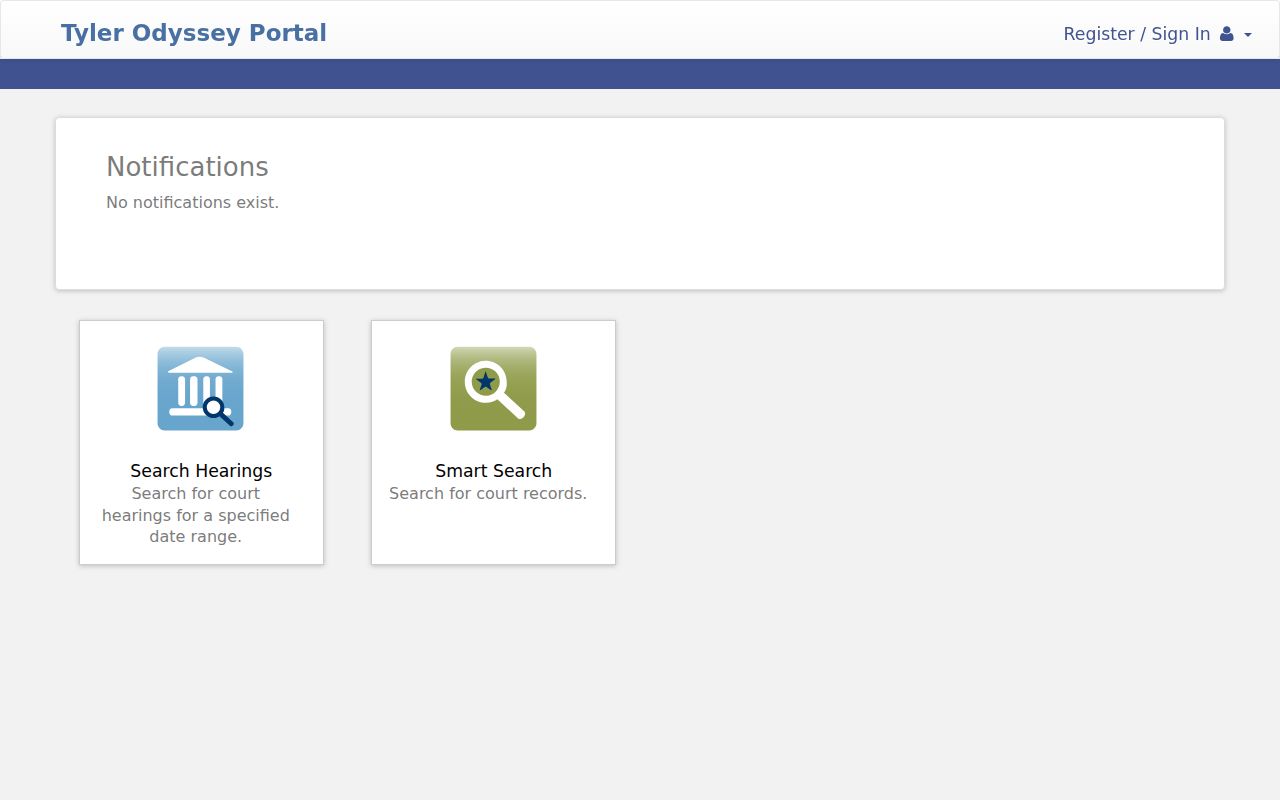
The portal page makes the first step plain. Enter through the official county portal, then select the case family that matches your matter.
Searching by Case Number
A cause number is the strongest identifier for a Fannin County lookup. Take the exact number from a notice, pleading, citation, or prior docket entry. Type it into the live system's field. No verified countywide number pattern exists. So a generic form like YYYY-XX-##### is not Fannin County syntax. Keep every letter, dash, and leading zero exactly as printed.
The number travels past the portal too. The District Clerk asks requesters to name the case, fee type, and amount when paying. Justice court payment pages want a docket or cause number as well. If a number fails, check the court family. Then ask the office whether it is a legacy number or belongs elsewhere.
Fannin Clerk Search Routing
Felony, district civil, family, juvenile, child-protection, and district appellate files sit with the Fannin County District Clerk. County Court at Law misdemeanors go to the County Clerk Criminal Department. Probate, guardianship, mental commitment, and county civil matters go through the County Clerk's civil and probate work. Each justice precinct and municipal court keeps its own docket.
Quick answer: Search by the matter's real custodian. Fannin Odyssey is not a universal index for city citations, justice cases, or federal filings.
A district search that stalls can move forward by email. Write dcrecords@fanninco.net or call 903-583-7459. The County Clerk's general line is 903-583-7486, and the criminal department line is 903-583-8502, though the location details behind it may be stale.
What a Case Search Returns
A Fannin County case search can surface the case identifier, caption, type, filing events, status, orders, and scheduled settings, wherever those fields are public and published. The docket itself is a chronological register. It may name a filed motion or signed order without showing the image. A calendar view is narrower still. It answers when and where a matter is set.
| Cause number | The court's identifier; preserve its exact punctuation. |
|---|---|
| Style or caption | The public case title or party relationship. |
| Case type | Criminal, civil, family, probate, or another court category. |
| Event | A filing, setting, order, service return, judgment, or disposition line. |
| Status | A current system label, not a substitute for the signed order. |
When Fannin Results Are Missing
An empty result can mean several things. The wrong Odyssey location may be selected. Or a city citation or justice case may sit outside the county portal. The record may be stored off site and need physical retrieval. A protected family, juvenile, sealed, expunged, or nondisclosed matter may simply not be published. Dynamic search fields can fail to render too.
Retry with the cause number. Then contact the office that holds the record. Give the court, party or style, date range, and record type. Ask whether a plain, electronic, or certified copy is required. Skip sending unneeded sensitive data. For district records, the direct email is a normal step in the Fannin County search path, not a last resort.
Note: A missing online entry does not prove that no official file exists.
Statewide vs County Case Search
re:SearchTX adds a statewide, account-based layer. Under the Fannin District Clerk's July 2025 information, users can get free case alerts and view documents on their own case when the account email matches the clerk's record. Odyssey stays the county-facing entry for Fannin County case and calendar information. Neither service turns an online view into a certified copy.
| Statewide Portal | Fannin County Portal |
|---|---|
| Participating Texas case and document access | Fannin criminal, civil/family/probate, and calendar routes |
| Account features and alerts | Public county-facing docket access |
| Useful for tracked cases and available documents | Best first stop for a known Fannin matter |
Fannin Filing Is Not Search
eFileTexas handles filings, not lookups. Attorneys and other authorized filers submit pleadings through it. The system then sends acceptance or rejection notices back by email. There is no public case-search box on that side of the system. For viewing, the District Clerk points to re:SearchTX as its alert and reading channel. Odyssey serves as the local public landing page for Fannin County case information.
Keep the two jobs straight and you avoid a common dead end. Searching for a filed order means Odyssey. re:SearchTX is another route. A direct request to the clerk also works for a Fannin County lookup. Submitting a pleading means eFileTexas. Self-represented parties get one more option. They can file paper with the District Clerk in person or by mail. Follow the clerk's current instructions.
Fannin Search Result Limits
Read the public-search disclaimer for what it is. An online docket result is a convenience copy of approved public data, nothing more. It is not the clerk's certification of completeness or accuracy. Treat it as a pointer. Find the cause number, the court, and the event. Then confirm anything that controls an appearance, filing, or request with the responsible Fannin County office before you act on it.
One more limit matters. A public docket can show that an order was signed. It may display no text of the order itself. Need the actual document? The Fannin County court records process is the next step.
Access and Restricted Cases
Texas court case records answer to court access rules. They do not answer to a routine executive-agency request under the Texas Public Information Act. The Texas courts open-records policy draws a line. On one side are ordinary case files. On the other sit Rule 12 judicial records outside a case. Ask the clerk when you want the case record. Use the Rule 12 route with care. It applies only if the judicial record you want fits that separate category.
Several rules and statutes can close a file. Rule 21c protects sensitive personal data in civil filings, and Rule 76a governs civil sealing. Juvenile, child-protection, mental-commitment, and some family material may be restricted. An expunction under Code of Criminal Procedure Chapter 55A can remove public access. Nondisclosure is not the same tool. Government Code Chapter 411 works as a different kind of limit. A case missing from a docket search tells you nothing about how it ended.
Ask the custodian which rule or order controls, whether a redacted copy is available, and what review path applies to a denial.