
How to Get Court Records
Start with the Fannin County public search. It can surface the cause number and the event you need. District cases may also turn up on re:SearchTX, which sometimes offers documents and alerts. For district filings, the District Clerk takes written requests at dcrecords@fanninco.net. Mail works too, as does a counter visit that requires an appointment. Call 903-583-7459 to reach the office directly. County Clerk, justice court, and municipal records belong to those offices, not this one.
- Identify the court, case family, cause number, and exact document.
- Check Odyssey or re:SearchTX for a public online entry or image.
- Send the responsible clerk an email or mail request, or arrange a counter request.
- Call to verify custody, off-site retrieval, restrictions, and the current charge.
- Specify plain, electronic, certified, or appeal-record copies and delivery.
Three Fannin Court Record Layers
Think of a court record in three layers. The docket comes first. It is simply the index of events in time order. Second is the filed document itself. It is the actual text tied to an event, whether a petition, indictment, answer, motion, order, judgment, decree, or return. Third is the certified copy. A clerk authenticates it when an official recipient demands that seal. Certification adds no hidden material. It will not turn a docket sheet into the full file either.
- Docket sheet
- The public register showing what happened and when.
- Filed document
- The actual item submitted or signed.
- Certified copy
- A copy bearing the clerk's certification.
- Plain copy
- An ordinary reproduction.
The workflow follows the layers. Search the docket first to find the event. Then request the filed image so you can read its text. Ask for certification only if the receiving office requires it. One quirk is worth knowing. A signed judgment can appear on the docket while its image is missing online. When that happens, name the judgment and its filing date. The Fannin County clerk can then tell it apart from other orders in the same file.
Types of Court Records
Fannin County court records divide by case type and court level. The District Clerk holds felony, district civil, family, juvenile, child-protection, appellate, and archived district files. The County Clerk keeps County Court at Law misdemeanors. Probate, guardianship, mental commitment, and county civil work sit there too. Justice and municipal clerks each manage their own cases.
Custody follows the court, not the subject. A criminal label could mean a felony record at the District Clerk, a County Court at Law misdemeanor at the County Clerk, or a Class C case in municipal court. Civil records split the same way across district, county, probate, and justice offices. Check the tribunal printed on your notice or docket. Do that before asking for a copy. That one step avoids delay and keeps fees tied to the correct schedule.
- Docket sheets, calendars, and notices of setting
- Pleadings, motions, service returns, and charging documents
- Signed orders, judgments, decrees, and dispositions
- Probate, guardianship, and public county civil documents
- Public justice and municipal records held by the local court
Fannin District Clerk Workflow
The District Clerk page names April Gibbs as the elected clerk. It also posts the records email. You can deliver a written request in person, or send it by email. Filings now go through 200 E. 1st Street. In-person visits run by appointment. Self-represented parties may paper-file in person or by mail, while eFileTexas handles electronic filing.
The official office source shows the remote and appointment notice.
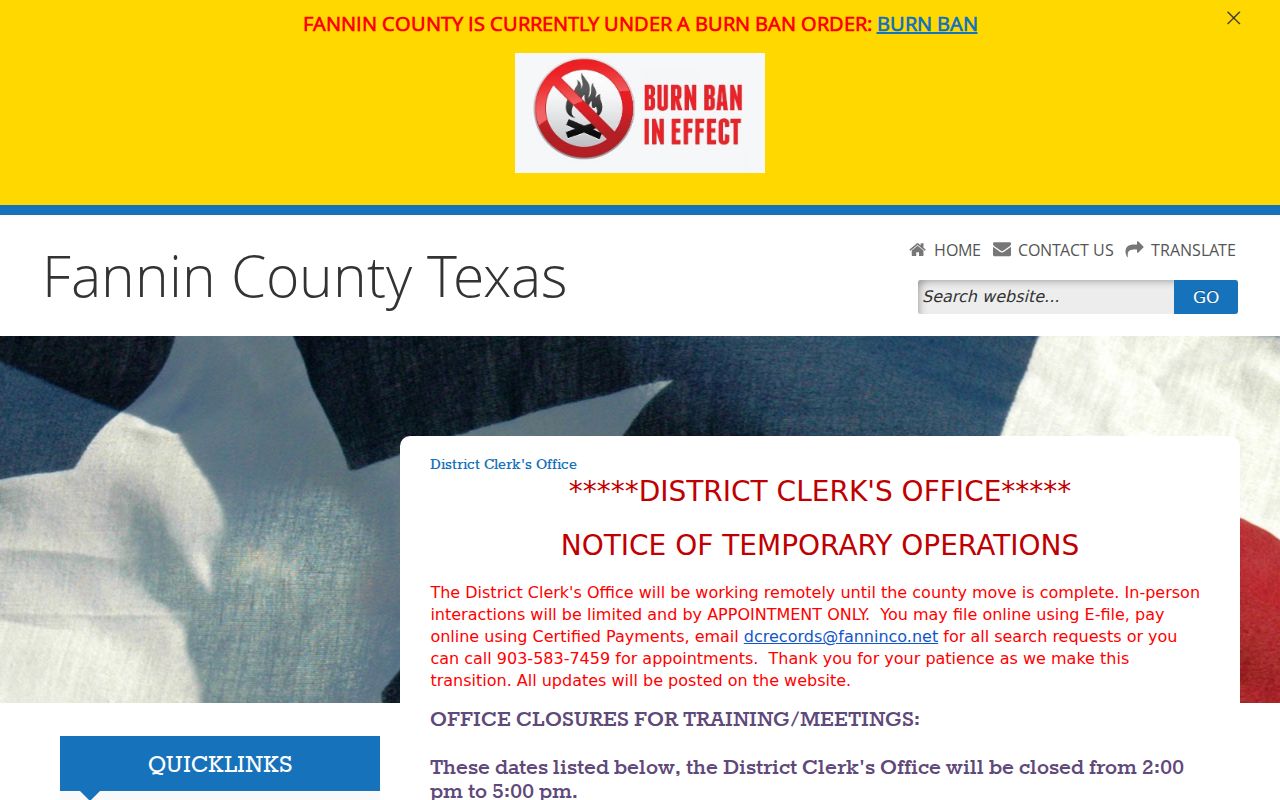
The image ties the request route to the office that maintains district court records.
What a Court Record Contains
A public case file often runs deeper than the online docket. The register only points to filings and settings. A clerk copy, by contrast, gives you the content of an available document, though the exact contents still depend on the case, the filing history, redaction rules, and any court orders.
| Cause number | The court's exact identifier. |
|---|---|
| Pleadings | Public petitions, answers, motions, or charging papers. |
| Orders & judgments | Available signed rulings, judgments, and decrees. |
| Docket sheet | Dated filing, service, setting, and disposition events. |
| Exhibits | Public attachments that remain part of the clerk file. |
Missing Fannin Court Record Images
The county states that many records are stored off site. They must be physically retrieved. So an Odyssey event with no image might point to an older paper file. It might be a document withheld from online publication. Or it might be one available through a clerk channel. It does not prove the document was never filed.
Try re:SearchTX next. It helps especially for a document on your own case and for the alerts the District Clerk describes. Then send the clerk the cause number. Add the document type, filing date, copy format, delivery preference, and your contact details. Ask about retrieval and current charges too. The clerk posts no official processing time, so plan around more than same-day service.
If the clerk locates a file but cannot release all of it, ask whether a public docket, a redacted copy, or a specific public order is still available. Never try to slip past a restriction through another channel. The same court order follows the record everywhere. It applies online, by email, through mail, by phone, and at the counter.
Note: older Fannin County files can require an off-site search before a copy is ready.
Certified Copies and Fees
Fees work differently at each counter. The current District Clerk schedule prices the clerk's search, the page copy, and certification separately, and the County Clerk uses its own schedule. Confirm which office controls the record before paying. Also remember what certification does: it authenticates a copy of an available record, and it will not unseal a file or restore omitted content.
| Item | Amount |
|---|---|
| District Clerk record search | $5 |
| District Clerk paper or conversion copy | $1 |
| District Clerk electronic copy | $0.10 per page, $1 minimum |
| District Clerk certification | $5 |
| County Clerk non-certified copy | $1 per page |
| County Clerk certification | $5 per document |
Fannin Appeal Record Copies
Copies for an appeal cost more than a simple printout. The District Clerk charges $1 per page for a copy for appeal, and the County Clerk charges $1 per page to prepare the clerk's appeal record. Pulling the public docket yourself does neither job. No record gets prepared or sent that way.
An appeal from a Fannin County case can move up to the Sixth Court of Appeals at Texarkana. Before it does, talk to the trial clerk. Ask which filings belong in the clerk's record, what deadline governs, and how the fees add up. Those questions go beyond an ordinary copy request.
Public Access and Sealed Records
Every Fannin County case record sits with a specific clerk. That office is where you make your request. Which one depends on the court that handled the case. The Texas Public Information Act covers executive agencies, not the judicial branch. It does not govern case records the way you might expect. Rule 12 fills part of that gap. It governs judicial records outside ordinary case files. Sealed matters and protected data stay controlled by court rules, statutes, and standing orders. When in doubt, let the court itself make the access call.
Key Rules:
Texas courts open-records policy distinguishes case files from Rule 12 judicial records.
Texas Rules 21c and 76a address sensitive-data redaction and civil sealing.
Code of Criminal Procedure Chapter 55A governs expunction effects.
Redacting Fannin Court Records
Rule 21c keeps sensitive details out of public civil filings. That means redaction of full Social Security numbers, tax IDs, passport and driver's-license numbers. Bank accounts, birth dates, home addresses, and minor-child information fall within the rule's scope too. Your own protected data got exposed in a Fannin County filing? The District Clerk page links a Social Security-number redaction request form.
Ask the clerk about your own record. A redaction fix applies to it, not to someone else's restricted data. Denied anyway? Ask which rule, statute, or order controls the file. Then ask whether a redacted copy can come out. A Rule 12 denial has a review route laid out in the official policy. Final say on a case file always rests with the clerk and the court's own process.